Compliance as Code
Automatically Enforcing Governance and Security Policies
After rescile builds the foundational graph from your assets and models, it enters the compliance phase. In this phase, the Compliance Engine processes declarative rules from TOML files in data/compliance/ to automatically mutate the graph, ensuring it adheres to your organization’s security and governance policies.
This “compliance-as-code” approach makes your security posture auditable, version-controlled, and consistently applied across your entire hybrid estate.
This section covers the primary capabilities for enforcing governance:
- Mutation Patterns: Common patterns for mutating properties, enriching connections, and attaching controls.
- Polymorphism: Applying controls across multiple resource types efficiently.
- Verifying Compliance: Using GraphQL to audit and extract evidence.
Core Structure of a Compliance File
A compliance file defines an audit_id for the framework it represents and contains one or more [[control]] blocks. Each control has an id and a name.
The [[control.target]] blocks define what to change in the graph. This implements a very similar iteration execution as the models through the resource fetched with origin_resource_type, which can be a string for a single resource or an array for iterating through multiple origin_resources.
A description within [[control.target]] is used to describe the implementation of the control and ends up in the evidence_summary in the graph.
compliance/internal.toml
audit_id = "INTERNAL"
audit_name = "Internal Security Policy"

[[control]]
id = "INTERNAL-01"
name = "Ensure latest version is installed"

# Defines where and how to apply the control
[[control.target]]
description = "Set package version to latest"
origin_resource_types = [ "application", "package" ]

# If the change applies on the same resource the `[[control.target.resource]]` can be omitted.

# Add or Change a property
[control.target.resource.properties]
version = "latest"
This iterates through all application and package resources and adds or changes the version property to latest.
Pre-packaged Compliance Modules
Rescile supports loading entire compliance frameworks directly from external modules. For example, the rescile-ccm-lite module provides an out-of-the-box implementation of the Cloud Security Alliance’s Cloud Controls Matrix (CCM) Lite v4. Because modules can bundle their own custom web apps, this module also serves a tailored compliance dashboard that tracks the configured targets directly in the browser:
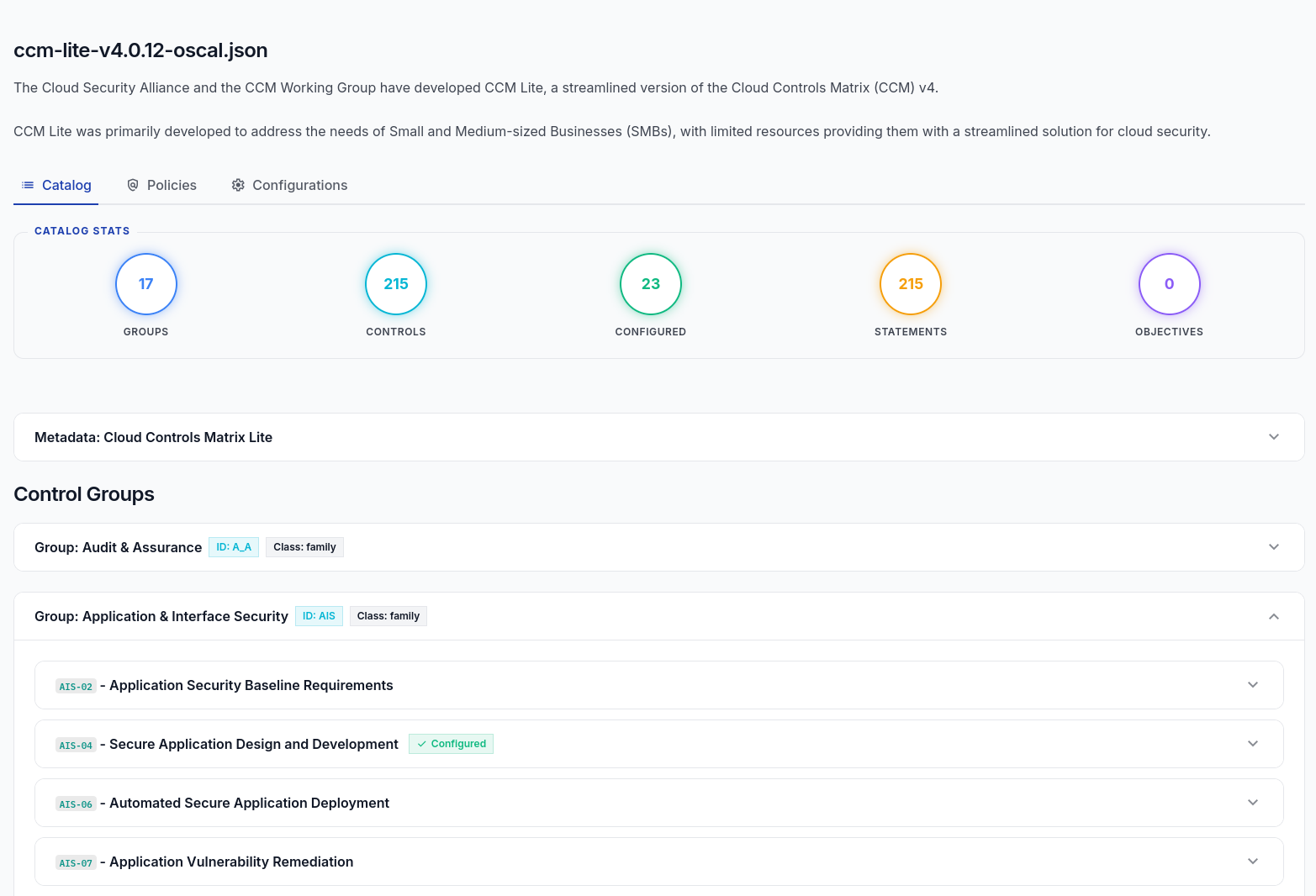
You can enforce this framework across your graph simply by including the module when running the importer or CE server:
rescile-ce serve --module https://github.com/rescile/rescile-ccm-lite.git
Example: Enforcing CCM-Lite Backups (BCR-08)
Below is a real-world excerpt from the rescile-ccm-lite module. It demonstrates how a single compliance control automatically creates and attaches backup policies to all database instances, ensuring your architecture meets resiliency requirements:
[[control]]
id = "BCR-08"
name = "Backup"
description = """Periodically backup data stored in the cloud. Ensure the confidentiality,
integrity and availability of the backup, and verify data restoration from backup
for resiliency."""

# This target applies a backup policy to all database instances.
[[control.target]]
description = "Attach a backup policy to all database instances."
origin_resource_type = "database"

[control.target.resource]
type = "policy"
name = "backup_policy_for_{{origin_resource.name}}"
[control.target.resource.properties]
restoration_test = "quarterly"
status = "mandatory"

[control.target.relation]
type = "GOVERNED_BY"
Evidence Summary on Control Resources
The compliance engine automatically collects all properties applied by a control across its targets and saves them to the evidence_summary property on the control resource itself. This property is a JSON object, providing an easily auditable summary of what configurations the compliance module actively enforced.
evidence_summary
"evidence_summary": {
  "version": "latest"
}
This can be used to extract a audit implementation report, was has been defined by compliance enforcements.